
PDF Expert lifetime deal review
Trusted by 30 million people and recommended by Apple—edit PDFs, fill forms, sign documents, and organize pages.
Disclosure: when you buy through our source links, we may earn a commission. This does not affect our editorial assessment.
$80
★ 4.7/5
Mac users who work with PDFs daily
Medium
What is PDF Expert?
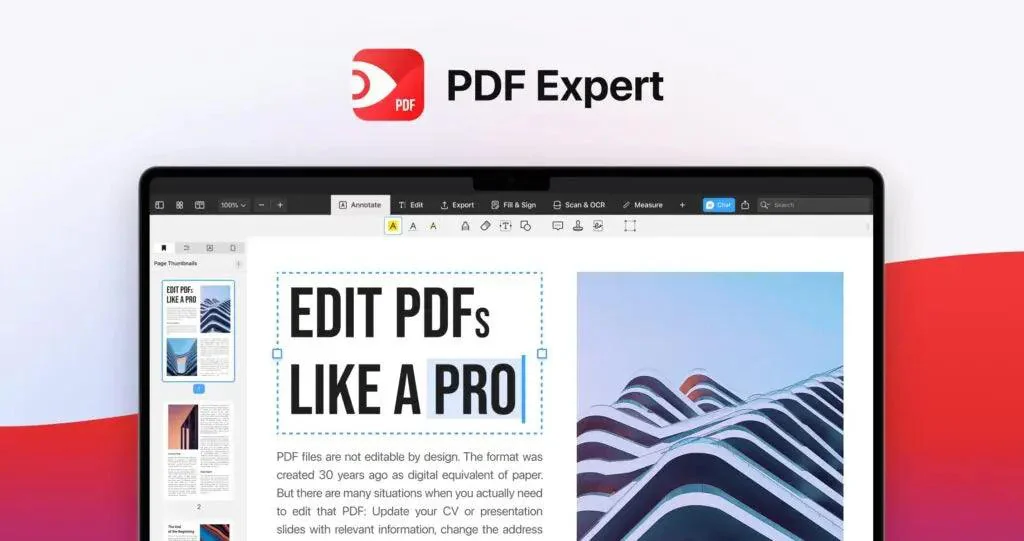
PDF Expert is a macOS PDF editor and reader developed by Readdle. It offers PDF editing, annotation, form filling, document signing, and OCR — all in a native Mac app. It's consistently rated as one of the best PDF tools for Mac, competing with Adobe Acrobat at a fraction of the cost.
Key features
- →PDF editing — Edit text, images, and links directly in PDFs. Change fonts, resize elements, modify content.
- →Annotation and markup — Highlight, underline, strike through, add comments, shapes, and signatures.
- →Form filling and signing — Fill PDF forms and add digital signatures. Built-in signature capture.
- →OCR — Optical character recognition for scanned documents. Make scanned PDFs searchable and selectable.
Pros & cons
What works
- $80 lifetime vs $25/month for Adobe Acrobat Pro or $180/year for Acrobat Standard. Break-even in 3-5 months.
- Native Mac app with M-series optimization. Fast, responsive, and energy-efficient compared to Electron-based alternatives.
- Annotation and editing tools cover 90% of what typical PDF users need. Text editing, form filling, and signing all work well.
- Readdle is a well-established developer with a decade-plus track record. Low risk of the product going dark.
- OCR support means scanned documents become searchable and selectable — essential for paper-to-digital workflows.
What to watch
- Mac-only. No Windows, Linux, or web version. Windows users need Adobe Acrobat or alternatives.
- Dealify's refund policy is shorter than AppSumo's. Verify the exact window before purchasing.
- Advanced PDF features (heavy form creation, PDF/A compliance, accessibility checking) are better served by Adobe Acrobat Pro.
- Lifetime deal covers the current license model. Future major version changes could require paid upgrades.
- No built-in PDF-to-Word or PDF-to-Excel conversion. Adobe handles better export fidelity for complex layouts.
Shelfware risk: Medium
Productivity tools depend on daily adoption. If your team won't switch, the deal becomes shelfware.
Pricing & tiers
PDF editing, annotation, form filling, digital signatures, OCR. macOS native app.
Quick verdict
PDF Expert at $80 lifetime is one of the safest software purchases you can make on LTD Stash. It's a mature product from an established developer (Readdle, 2007), consistently Apple Design Award-adjacent, and widely considered the best PDF tool for Mac outside Adobe Acrobat. At $80 lifetime vs $25/month for Adobe Acrobat Pro, the break-even is just over three months. The limitations are clear: Mac-only, no Windows or web version, and the lifetime deal is through Dealify, which may have a shorter refund window than AppSumo. For Mac users who handle PDFs regularly, this is a buy-without-hesitation deal.
Who should consider PDF Expert?
PDF Expert is for Mac users who work with PDFs daily — reading, editing, annotating, signing. At $80 lifetime, it's the gold standard of Mac PDF editors outside Adobe's subscription ecosystem. Lawyers, consultants, academics, and anyone who handles contracts or proposals will get daily use from it. Windows users should look at other options — PDF Expert is Mac-native and Mac-only. If you only open a PDF once a month, Preview.app (free, built into macOS) covers the basics.
What to check before buying
- Test PDF Expert with your most common PDF workflows during the refund window. If Preview.app already covers 80% of what you do, consider whether $80 is worth it for the remaining 20%.
- The annotation toolset is excellent for document review workflows. Lawyers, consultants, and editors get disproportionate value.
- Check Dealify's refund policy before buying. If it's under 30 days, do your testing in week one.
- If you handle signed contracts regularly, the digital signature feature alone can justify the purchase.
Alternatives and category fit
- →Adobe Acrobat Pro — $25/month for the full PDF suite. Cross-platform, advanced features, but ongoing subscription cost. Overkill for most solo users.
- →Preview.app — Free, built into macOS. Covers basic reading, annotation, and signing. Good enough for light PDF users.
- →Foxit PDF Editor — Cross-platform PDF editor with similar features to PDF Expert. Available on Mac, Windows, Linux, and mobile.
More Productivity lifetime deals
Compare PDF Expert with these related lifetime deals.
Frequently asked questions
Is PDF Expert lifetime deal worth it?
Yes, for any Mac user who handles PDFs regularly. At $80 lifetime vs $25/month for Adobe Acrobat Pro, the value is clear. The native Mac experience is a genuine advantage over Electron-based alternatives. Mac users who only occasionally open PDFs should stick with Preview.app (free).
Can PDF Expert replace Adobe Acrobat?
For most everyday PDF tasks — reading, annotating, filling forms, signing documents — yes. PDF Expert is faster and more pleasant than Acrobat on Mac. For advanced features (heavy form creation, PDF/A compliance, accessibility tools), Adobe Acrobat Pro remains the standard.
Does PDF Expert work on Windows?
No. PDF Expert is Mac-only. Windows users should consider Foxit PhantomPDF, Nitro Pro, or Adobe Acrobat.
Does the lifetime deal include all future updates?
The lifetime deal covers the current PDF Expert version within its major version. Major upgrades (e.g., version 4 to 5) may require a paid upgrade, typically at a discount for existing users.
Who should skip PDF Expert?
Skip it if you're on Windows, if you only read PDFs casually (Preview.app is sufficient), or if you need advanced PDF creation, PDF/A compliance, or accessibility features that only Adobe Acrobat Pro provides.