
MiroMiro lifetime deal review
MiroMiro is a browser extension for CSS inspection, design-system extraction, asset discovery, and website-to-code exports. The AppSumo lifetime deal starts at $49.
Disclosure: when you buy through our source links, we may earn a commission. This does not affect our editorial assessment.
$49
★ 4.8/5
frontend developers, designers, and AI-assisted builders who want to inspect authorized website references, extract design tokens and assets, and export starter Tailwind, React, Vue, or HTML code
Medium
What is MiroMiro?
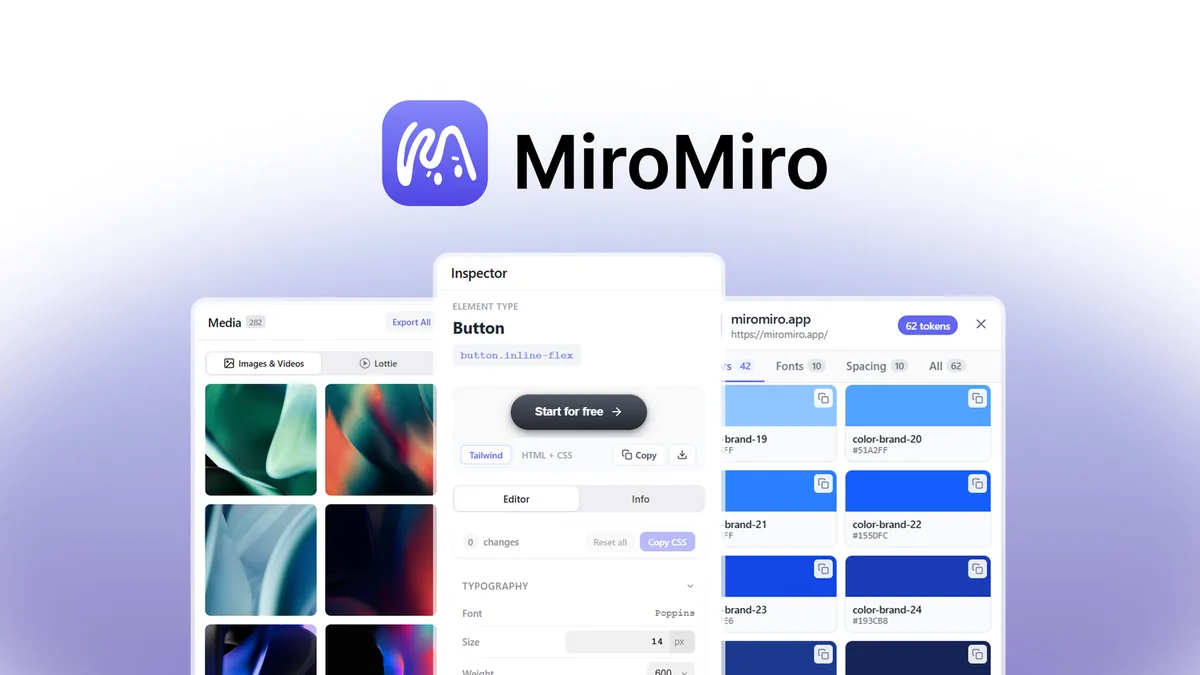
MiroMiro is a browser extension that inspects rendered websites and exports selected elements, sections, or pages as Tailwind, React, Vue, or plain HTML and CSS. It also extracts design tokens, assets, SVGs, Lottie files, and Elementor templates, with API and MCP access for AI-assisted workflows.
Key features
- →Website-to-code exports — Exports selected elements, sections, or pages as Tailwind, React, Vue, or plain HTML and CSS.
- →CSS inspector and live editing — Shows CSS values for page elements and lets users experiment with edits directly on the rendered page.
- →Design-system extraction — Extracts colors, gradients, fonts, shadows, and spacing tokens for CSS variables or a Tailwind configuration.
- →Asset and SVG extraction — Finds images, videos, SVGs, and CSS-buried assets for download at their available quality.
- →Lottie downloader — Detects Lottie animations and exports Lottie JSON or dotLottie files.
- →Elementor export — Exports sections or pages as Elementor templates for WordPress workflows.
- →Contrast and brand-color tools — Checks WCAG contrast and extracts HEX, RGB, and HSL colors from a page.
- →API and MCP access — Provides a design extraction API and hosted MCP server for coding tools and AI agents, subject to current credit terms.
Pros & cons
What works
- $49 Tier 1 undercuts the approximate $77 CSS Scan lifetime price
- Combines CSS inspection, code export, design tokens, assets, SVGs, Lottie, contrast, and Elementor workflows
- Tailwind, React, Vue, and HTML output is more useful for development than a screenshot alone
- API and MCP access gives AI tools a path to structured design data
- 60-day AppSumo refund provides time to test a real project
- Vendor is adding features and maintains a public roadmap
What to watch
- Supports Chrome, Brave, and Edge only, with no Firefox or Safari support
- Vendor warns against Arc because of a sidebar API conflict
- Company was founded on December 1, 2025, so long-term continuity is unproven
- Generated code still needs review for responsiveness, accessibility, semantics, and maintainability
- AppSumo plan data does not provide reliable per-tier seat counts or feature gating
- Copying a site's assets or design for commercial use remains the user's responsibility
- Moderate shelfware risk if website inspection is not already part of the buyer's work
Shelfware risk: Medium
All lifetime deals carry shelfware risk. The real question is whether this tool solves a workflow you have right now.
Pricing & tiers
One-time AppSumo price. Listed comparison price: $199. The listing does not provide reliable per-tier seat or feature-gating detail.
One-time AppSumo price. Listed comparison price: $299. Confirm current terms on the live listing.
One-time AppSumo price. Listed comparison price: $459. Confirm current terms on the live listing.
One-time AppSumo price. Listed comparison price: $629. Confirm current terms on the live listing.
Quick verdict
Conditional Buy. Buy Tier 1 if you already inspect websites, rebuild interfaces, or feed reference code into AI development tools. The math is attractive against the approximate $77 CSS Scan lifetime price, but browser support is limited to Chrome, Brave, and Edge, and the company is still young.
Who should consider MiroMiro?
Best for frontend developers, designers, WordPress and Elementor users, and agencies with a legitimate website inspection or migration workflow. It is a weaker fit for Firefox or Safari users, Arc users, buyers without a current use case, and anyone expecting finished production code or legal permission to copy a competitor's design.
What to check before buying
- Start with Tier 1 and test a real authorized reference page before buying a higher tier
- Confirm that your daily browser is Chrome, Brave, or Edge and avoid Arc
- Review exported code for responsive behavior, accessibility, semantics, and maintainability
- Test design-token, SVG, Lottie, and Elementor workflows that match your actual projects
- Use the 60-day refund period to test API or MCP access with your preferred AI tool
- Do not use extracted assets or designs commercially unless you have the necessary rights
Alternatives and category fit
- →CSS Scan — A focused CSS inspection and copying tool with an approximate $77 lifetime price and broader browser coverage.
- →CSS Peeper — A free browser extension for inspecting colors, fonts, and CSS details one page at a time.
- →ColorZilla — A free browser utility for color picking, gradients, and basic page inspection.
- →SVG Gobbler — A free utility focused on finding and downloading SVG assets from webpages.
- →Browser DevTools — The free, built-in option for detailed debugging, CSS inspection, network analysis, and JavaScript profiling.
More Developer Tools > Dev Utilities lifetime deals
Compare MiroMiro with these related lifetime deals.
Frequently asked questions
Is the MiroMiro lifetime deal worth it?
Conditionally. It is worth testing at $49 if you already inspect websites, extract design systems, or feed reference code into AI development tools. It is a weaker fit for Firefox or Safari users and people without a current workflow.
What is the MiroMiro AppSumo price?
The AppSumo listing shows four prices: $49, $109, $249, and $399, with listed comparison prices of $199, $299, $459, and $629.
Does MiroMiro work with Firefox or Safari?
No. MiroMiro supports Chrome, Brave, and Edge. The vendor also warns against Arc because of a known sidebar API conflict.
Can MiroMiro convert a website to Tailwind or React?
Yes. It can export selected elements, sections, or pages as Tailwind, React, Vue, or plain HTML and CSS. Review the output before shipping it.
How does MiroMiro compare with CSS Scan?
CSS Scan is a more focused CSS inspection tool with an approximate $77 lifetime price and broader browser coverage. MiroMiro costs $49 at Tier 1 and adds design-system extraction, code exports, assets, Lottie, Elementor, API, and MCP workflows.
Is copying a website with MiroMiro legal?
MiroMiro is an inspection tool similar to View Source or DevTools. Whether you may reuse a site's assets, content, or design depends on your rights and use case. Commercial copying is your responsibility.
Does the MiroMiro deal include API or MCP access?
The AppSumo listing describes a design extraction API, hosted MCP server, and starter credits for AppSumo buyers. Check the live listing and API dashboard for current credit amounts and limits.