
FileJump lifetime deal review
Fast file transfer and sharing platform for large files with no size limits and end-to-end encryption.
Disclosure: when you buy through our source links, we may earn a commission. This does not affect our editorial assessment.
$89
★ 4.5/5
teams needing fast file sharing
Medium
What is FileJump?
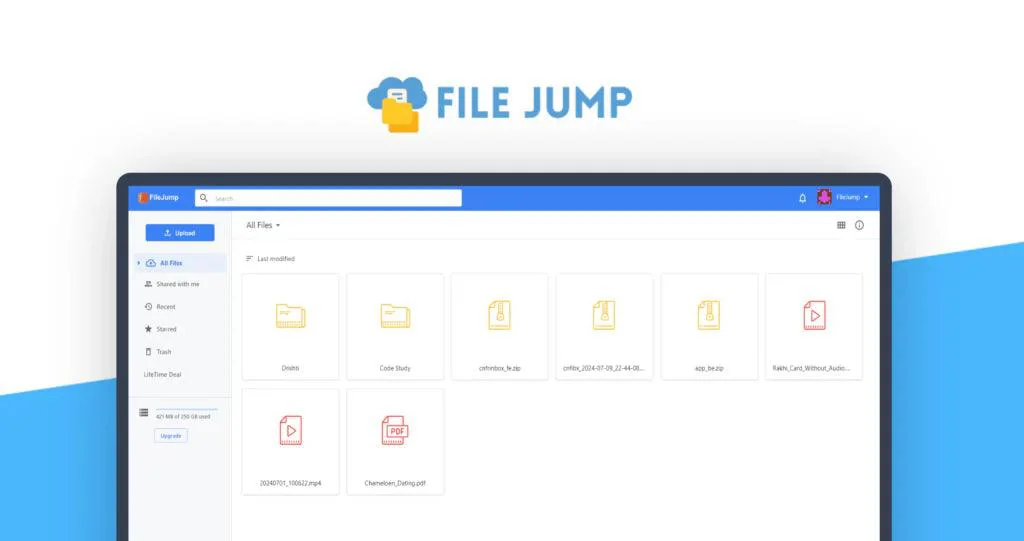
FileJump is a cloud file transfer and sharing platform that lets users send large files, request files from others, and store shared files in the cloud. It includes tracking, expiry controls, and branded transfer pages.
Key features
- →Large file transfers — Send files up to 5GB per transfer. No account required for recipients to download.
- →File request — Request files from clients or collaborators. They upload directly to your FileJump cloud.
- →Tracking and notifications — Get notified when recipients download files. Track transfer history.
Pros & cons
What works
- Simple file sharing without the overhead of full cloud storage solutions.
- One-time payment vs ongoing Dropbox or Google Drive subscription costs.
- Fast transfer focused — prioritizes speed over storage features.
- Useful for one-time or project-based file sharing needs.
What to watch
- Google Drive, Dropbox, and iCloud already provide file sharing with storage, sync, and collaboration.
- Limited to file transfer — no storage, sync, version history, or team collaboration features.
- A smaller player in a market dominated by free and low-cost options.
- Transfer limits and file size caps may not justify a separate tool when existing cloud storage covers the need.
Shelfware risk: Medium
All lifetime deals carry shelfware risk. The real question is whether this tool solves a workflow you have right now.
Pricing & tiers
Cloud file transfers, file requests, tracking, branded pages.
Quick verdict
FileJump targets a specific use case: quick file sharing without managing folders, permissions, or sync settings. At the Dealify price, it's a cheap alternative to WeTransfer Pro for occasional large file transfers. The challenge is that most people already have file sharing through Google Drive, Dropbox, or iCloud — adding a separate tool for transfers is hard to justify unless you need the specific delivery tracking and expiry features.
Who should consider FileJump?
FileJump is for teams that need simple file sharing and transfer without the complexity of Google Drive or Dropbox. On Dealify, it focuses on fast transfers rather than storage or collaboration. Teams already using cloud storage don't need a separate transfer tool.
What to check before buying
- Test FileJump with a real task during the refund window. If you don't use it naturally within 7 days, the niche may be too narrow.
- Compare against free tools first. Many niche SaaS tools compete with built-in OS features or free web services.
- The Dealify refund window may differ from AppSumo's 60-day standard. Check the exact policy before purchasing.
Alternatives and category fit
- →Free alternatives — Check if free tools (Google tools, built-in OS features, open-source options) cover this workflow. Many niche tools compete with free options.
- →Subscription alternatives — Monthly tools in this space may offer more features, updates, and support at the cost of ongoing payments.
More Cloud lifetime deals
Compare FileJump with these related lifetime deals.
Frequently asked questions
Is FileJump lifetime deal worth it?
Yes if it replaces a current paid subscription or saves recurring manual effort. At the Dealify price point, evaluate whether you'd actually use the tool weekly. Shelfware risk is higher for niche tools.
What is FileJump best for?
FileJump is designed for cloud file transfer and sharing platform. It serves a specific workflow rather than being a general-purpose tool.
Who should skip FileJump?
Skip it if you already have an established workflow that covers this need, or if you don't perform this task regularly enough to justify any purchase.